

RosettaPress vs WPML: Which Multilingual Plugin Fits Your WordPress Site? (2026)

Choosing between RosettaPress and WPML isn’t just about features—it’s about selecting the right architectural approach for your multilingual WordPress site.

Jan Zamecnik
Table of contents:

RosettaPress is a WordPress Multisite-exclusive plugin that treats each language as a separate site, providing complete data isolation and streamlined WooCommerce stock synchronization. WPML is a comprehensive single-site multilingual solution with 1.5+ million active installations, offering 65+ pre-configured languages and extensive third-party integrations.

This article breaks down the key differences between these two premium multilingual plugins, covering architecture, pricing, WooCommerce support, ease of use, and ideal use cases to help you make an informed decision.

Quick Comparison Summary

FeatureRosettaPressWPML
Best ForMultisite networks with WooCommerce stock sync needsSingle-site multilingual content management
ArchitectureWordPress Multisite only (one site per language)Single WordPress installation (all languages in one site)
Pricing$99/yr (1 multisite), $199/yr (5 multisites), $299/yr (unlimited)$39/yr (Blog), $99/yr (CMS), $199/yr (Agency)
Ease of UseModerate (requires multisite expertise)Moderate (extensive features require learning curve)
Key StrengthComplete data isolation, WooCommerce stock synchronization, all-in-one approachExtensive third-party compatibility, 1.5M+ installations, translation management workflow
Key WeaknessRequires WordPress Multisite infrastructureModular architecture with multiple add-ons, Blog plan very limited

RosettaPress Overview

RosettaPress is a premium multilingual plugin built exclusively for WordPress Multisite installations. Unlike traditional translation plugins that manage multiple languages within a single site, RosettaPress treats each language as a completely separate WordPress installation within your multisite network.

The plugin’s core philosophy centers on data isolation and architectural simplicity. When you create a new language version, you’re creating an entirely separate site with its own database tables, users, and settings. Content relationships are managed through a central translation table that links posts, terms, and products across sites while maintaining complete independence.

RosettaPress includes automatic content cloning from a primary site to secondary language sites, DeepL and Google Translate integration for automatic translation, and comprehensive WooCommerce support with stock synchronization across all language sites. The plugin also provides strong ACF support for all field types including complex structures like repeaters and flexible content.

Launched as a modern solution for enterprise and agency multilingual sites, RosettaPress requires PHP 8.1+ and follows modern development practices with dependency injection, repository patterns, and extensive REST API support.

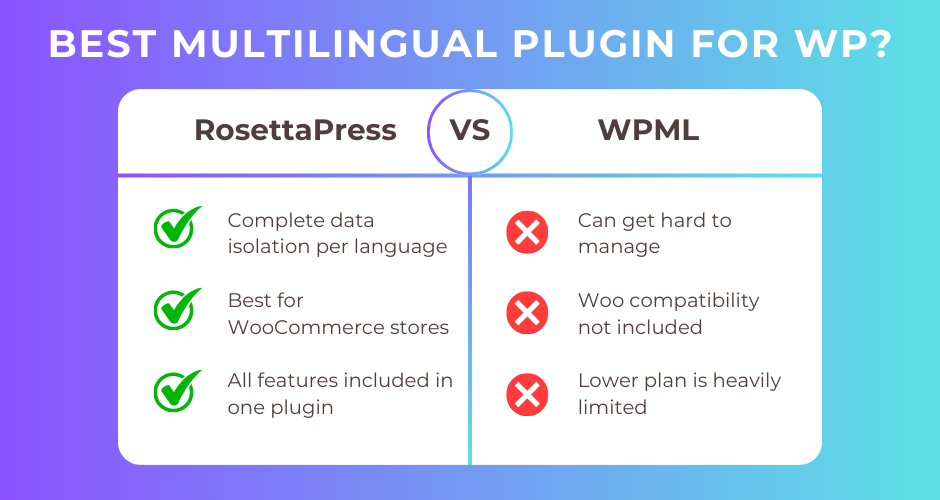
RosettaPress Pros

  • Complete data isolation between languages (separate WordPress installations)
  • WooCommerce stock synchronization across all language sites
  • All features included without separate add-ons
  • Automatic content cloning from primary site
  • Strong ACF support including repeaters and flexible content
  • Network orders dashboard for unified WooCommerce order management
  • Site cloning feature for quick language site setup
  • Comprehensive REST API and WP-CLI support
  • Elementor and Gutenberg content translation

RosettaPress Cons

  • Requires WordPress Multisite infrastructure (not compatible with single sites)
  • Higher technical complexity for setup and management
  • Relies on external APIs for automatic translation (ongoing costs)
  • No built-in translation workflow or approval process
  • Not available on WordPress.org

WPML Overview

WPML (WordPress Multilingual Plugin) is the most established premium multilingual solution for WordPress, powering over 1.5 million active websites worldwide since 2007. WPML enables translation management from a single WordPress installation, supporting posts, pages, custom post types, taxonomies, menus, widgets, and theme/plugin texts.

The plugin offers 65+ pre-configured languages with custom language creation for regional variants. WPML’s modular architecture consists of a core plugin plus optional components like String Translation, Translation Management, WooCommerce Multilingual, and various page builder integrations.

WPML provides multiple translation methods: manual translation via the Advanced Translation Editor, AI-powered automatic translation through its Private Translation Cloud (integrating Google Translate, DeepL, and Microsoft Azure), and integration with professional translation services. The Translation Dashboard serves as the central hub for managing translation status, assigning work to translators, and tracking progress.

WooCommerce support includes comprehensive product translation with multicurrency functionality supporting 200+ currencies, automatic exchange rates, and currency-specific pricing. The plugin integrates extensively with popular page builders (Elementor, Divi, WPBakery, Avada), SEO plugins (Yoast SEO, Rank Math), and form builders (Gravity Forms, Contact Form 7, WPForms).

WPML Pros

  • Proven stability with 1.5+ million active installations
  • Single-site architecture (no multisite requirement)
  • 65+ pre-configured languages
  • Advanced Translation Editor with HTML protection and preview
  • Translation Management workflow with team collaboration
  • Extensive third-party plugin compatibility
  • 100+ PHP hooks/filters for developers
  • wpml-config.xml for easy theme/plugin integration
  • Multicurrency support for WooCommerce (200+ currencies)
  • 6-day/week support in 9 languages
  • 30-day money-back guarantee

WPML Cons

  • No free plan available
  • Blog plan severely limited (no String Translation, WooCommerce, AI translation, or page builder support)
  • Multiple add-ons increase complexity
  • Annual subscription required for updates and support
  • Can be complex for beginners despite setup wizard
  • 128MB memory requirement for String Translation

Head-to-Head Comparison

Architecture & Approach

RosettaPress follows a multisite-only architecture where each language operates as a completely separate WordPress installation. This provides absolute data isolation—posts, users, settings, and plugins can differ between language sites. Content relationships are maintained through network-wide translation tables. This approach means your English site could run different plugins than your German site, or have different user roles, providing ultimate flexibility and isolation.

WPML uses a single-site architecture where all languages share the same WordPress installation and database. Content translations are stored alongside original content and linked via translation group IDs. This approach keeps everything centralized—all languages share the same themes, plugins, and settings. Language switching happens through query filtering rather than site switching.

The architectural difference has significant implications. RosettaPress requires multisite infrastructure but provides complete independence between languages. WPML requires no special hosting setup but means all languages must share the same configuration.

Winner: Tie (depends on your infrastructure and requirements)

Features & Functionality

RosettaPress includes all features in the core plugin without separate add-ons:

  • Automatic content cloning from primary to secondary sites
  • DeepL and Google Translate integration
  • WooCommerce product translation with stock sync
  • ACF support for all field types (including repeaters, flexible content)
  • Elementor and Gutenberg content translation
  • Network orders dashboard
  • Site cloning feature
  • REST API and WP-CLI commands

WPML provides a comprehensive feature set through modular add-ons:

  • 65+ pre-configured languages (2,500+ language pairs)
  • Advanced Translation Editor with HTML protection
  • Private Translation Cloud with AI translation
  • Translation Management with workflow and team assignment
  • WooCommerce Multilingual with 200+ currencies
  • String Translation for theme/plugin texts
  • Extensive page builder support (Elementor, Divi, WPBakery, Avada, Enfold, Beaver Builder)
  • 100+ dedicated compatibility add-ons
  • Sticky Links (broken link prevention)
  • Translation memory and glossary support

While WPML offers more granular features and third-party integrations, RosettaPress provides a simpler all-in-one package without managing multiple add-ons.

Winner: WPML (for breadth of features), RosettaPress (for simplicity)

WooCommerce Integration

RosettaPress excels in WooCommerce integration with its multisite approach:

  • Product translation with automatic cloning
  • Stock synchronization across all language sites (a major advantage)
  • Product variation translation
  • Product attribute and taxonomy translation
  • Product gallery synchronization
  • Cross-sell and upsell ID mapping
  • Network orders dashboard showing orders from all sites
  • Each language site can use different payment gateways or shipping methods

The stock synchronization is particularly powerful—when inventory updates on one site, it automatically syncs to all language sites, preventing overselling across markets.

WPML provides comprehensive WooCommerce support via the WooCommerce Multilingual (WCML) addon:

  • Translation of all product types (simple, variable, grouped, external)
  • Product variation and attribute translation
  • Multicurrency support with 200+ currencies
  • Automatic exchange rate updates
  • Per-product custom pricing in different currencies
  • Geolocation-based currency display
  • Currency-specific payment gateways and shipping rates
  • Integration with WooCommerce Bookings and Subscriptions

WPML’s multicurrency advantage allows market-specific pricing strategies, while RosettaPress requires separate currency management per site.

Winner: RosettaPress (for stock synchronization and operational simplicity)

Automatic Translation

RosettaPress integrates with two translation providers:

  • DeepL integration
  • Google Translate integration
  • Translation caching to reduce API costs
  • Gutenberg block content translation
  • Elementor widget content translation
  • Bulk translation via REST API
  • Skip already translated content option

The system extracts translatable strings from blocks and widgets while preserving structure. Translation costs are paid directly to DeepL or Google.

WPML provides AI-powered automatic translation through its Private Translation Cloud:

  • Proprietary AI combining Google Translate, DeepL, Microsoft Azure
  • Context-aware translation maintaining tone and branding
  • Translation credits: 0 (Blog), 90,000 (CMS), 180,000 (Agency)
  • Credit top-ups available for purchase
  • Quality guarantee with refunds for up to 500,000 words within 60 days
  • Translation memory and glossary support
  • One-click full-site translation or selective translation

WPML’s bundled translation credits eliminate the need for separate API accounts, and the quality guarantee provides assurance for automatic translation quality.

Winner: WPML (bundled credits, quality guarantee, and advanced features)

Developer Experience

RosettaPress offers modern developer features:

  • Comprehensive REST API (rosettapress/v1 namespace)
  • WP-CLI commands for site management
  • 30+ PHP filters for customization
  • Dependency injection container
  • Repository pattern architecture
  • PHP 8.1+ modern codebase
  • Helper functions for container access

WPML provides extensive developer resources:

  • 100+ documented hooks and filters
  • wpml-config.xml for theme/plugin integration
  • Language constants (some deprecated)
  • XLIFF import/export support
  • GraphQL support via addon
  • REST API compatibility
  • Extensive documentation for developers

WPML’s wpml-config.xml is particularly valuable for theme/plugin developers, allowing users to configure translation settings without manual setup.

Winner: WPML (more extensive API and mature ecosystem)

Ease of Use

RosettaPress requires significant technical knowledge:

  • WordPress Multisite setup and management expertise required
  • Language groups and primary site configuration
  • Per-post-type cloning and synchronization settings
  • Translation provider API key setup
  • Network admin interface
  • The plugin itself is well-designed, but the multisite requirement adds complexity

WPML has a moderate learning curve:

  • Setup wizard guides initial configuration
  • Translation Dashboard centralizes translation management
  • Advanced Translation Editor provides user-friendly interface
  • Extensive documentation and video tutorials
  • The sheer number of features and add-ons can overwhelm beginners
  • Blog plan limitations may confuse users about capabilities

For users familiar with WordPress but new to multisite, WPML is easier to adopt. For users already running multisite networks, RosettaPress integrates naturally.

Winner: WPML (for most users unfamiliar with multisite)

Pricing

RosettaPress offers three tiers based on multisite count:

  • Small: $99/year (1 multisite, all features)
  • Medium: $199/year (5 multisites, all features)
  • Agency: $299/year (unlimited multisites, all features)

All plans include identical features—pricing scales only with site count. Translation API costs (DeepL/Google) are paid separately.

WPML provides three tiers with varying features:

  • Blog: $39/year (1 site) – Core translation only, NO String Translation, WooCommerce, AI translation, or page builder support
  • CMS: $99/year (3 sites) – All features, Advanced Editor, String Translation, WooCommerce, page builders, 90,000 AI credits
  • Agency: $199/year (unlimited sites) – All CMS features, unlimited sites, 180,000 AI credits

WPML’s Blog plan appears affordable but lacks critical features. The CMS plan is the minimum for professional sites. Translation credits are bundled rather than paid separately.

Winner: RosettaPress (transparent all-inclusive pricing without feature tiers)

ACF Integration

RosettaPress provides comprehensive ACF support:

  • All field types supported (image, file, gallery, post_object, page_link, relationship, taxonomy)
  • Repeater field translation with nested structures
  • Flexible content field translation
  • Group and clone field support
  • Automatic field value synchronization
  • Translation preserves field relationships

WPML offers ACF integration via the ACFML addon (included in CMS/Agency):

  • Advanced Custom Fields integration
  • Field translation configuration
  • Repeater and flexible content support
  • The integration requires configuration via wpml-config.xml or admin interface

Both plugins handle ACF well, but RosettaPress’s approach of cloning entire sites means ACF data naturally migrates without special handling.

Winner: Tie (both provide solid ACF support)

Support & Documentation

RosettaPress provides:

  • 1 year support and updates included
  • Official website documentation
  • Developer-oriented documentation in codebase
  • REST API documentation
  • Smaller user community (newer plugin)

WPML offers:

  • 6-day/week support (closed Sundays)
  • 19 hours/day support availability
  • Support in 9 languages
  • Extensive documentation with video tutorials
  • Large community forums
  • 30-day money-back guarantee
  • Proven track record with 1.5M+ installations

WPML’s established support infrastructure and large community provide significant advantages for troubleshooting.

Winner: WPML (more extensive support and community resources)

RosettaPress vs WPML: Which Should You Choose?

Choose RosettaPress if:

  • You’re already running WordPress Multisite or willing to adopt it
  • You need complete data isolation between language versions (different plugins, users, or settings per language)
  • You operate a WooCommerce store requiring synchronized stock across language sites
  • You want all features included without managing multiple add-ons
  • You prefer a modern architecture with REST API and WP-CLI automation
  • You have technical expertise or development resources for multisite management
  • You need the flexibility to run different WooCommerce configurations per market (payment gateways, shipping methods)
  • You want the network orders dashboard for unified order management

Choose WPML if:

  • You run a single WordPress site without multisite infrastructure
  • You need support for 65+ pre-configured languages with extensive language pair coverage
  • You want bundled AI translation credits without managing external API accounts
  • You require extensive third-party plugin compatibility (100+ dedicated add-ons)
  • You need translation workflow management with team collaboration and translator roles
  • You operate WooCommerce stores requiring multicurrency with automatic exchange rates and per-product pricing
  • You want established support with a proven track record (1.5M+ installations)
  • You need wpml-config.xml integration for custom theme/plugin development
  • You prefer a centralized Translation Dashboard for managing all translation activities

Alternative consideration: If you need multilingual capabilities but both plugins feel like overkill, consider Polylang (freemium) for simpler sites or TranslatePress for visual front-end translation.

Frequently Asked Questions

Can I migrate from WPML to RosettaPress or vice versa?

Migration between these plugins is complex due to their fundamentally different architectures. WPML stores all translations in a single database with translation links, while RosettaPress uses separate sites with network-wide translation tables. Migration would require exporting content from WPML, creating multisite installations for RosettaPress, and re-establishing translation relationships. There are no automated migration tools. If you’re considering either plugin, plan to commit to that architecture long-term.

Does RosettaPress require separate hosting or higher costs?

RosettaPress requires WordPress Multisite, which most quality hosts support without additional cost. However, since each language runs as a separate site, you may consume more server resources (database tables, file storage if you duplicate media). Check with your host about multisite support and resource allocation. WPML runs on any standard WordPress installation but may require higher memory limits (128MB recommended for String Translation).

Which plugin is better for WooCommerce stock management?

RosettaPress has a clear advantage for stock management. Its automatic stock synchronization across all language sites prevents overselling—when a product sells on your German site, inventory automatically updates on English, French, and all other sites. WPML requires manual stock management or third-party solutions to sync inventory across languages. If stock synchronization is critical, RosettaPress is the better choice.

Do both plugins work with page builders?

WPML provides extensive page builder support including Elementor, Divi, WPBakery, Avada/Fusion Builder, Enfold/Avia Builder, Cornerstone, and Beaver Builder through dedicated compatibility add-ons. RosettaPress supports Elementor and Gutenberg with content translation but has limited testing with other builders. If you use page builders beyond Elementor, verify compatibility with RosettaPress before committing, while WPML’s broader compatibility is proven.

What are the ongoing costs beyond the annual license?

For RosettaPress, budget for DeepL or Google Translate API costs if using automatic translation. DeepL pricing starts at approximately $5.49 per 1 million characters. For WPML, the CMS plan includes 90,000 translation credits and Agency includes 180,000 credits. Additional credits can be purchased as needed. Calculate your monthly translation volume to estimate which approach is more cost-effective for your use case.

Final Thoughts

The choice between RosettaPress and WPML fundamentally comes down to architecture: multisite versus single-site.

RosettaPress shines when you need complete independence between language versions, especially for WooCommerce stores where stock synchronization is critical. The all-in-one approach without separate add-ons simplifies plugin management, and the modern codebase with REST API and WP-CLI support appeals to developers and agencies automating workflows. However, the WordPress Multisite requirement is a significant technical barrier that may not suit all projects.

WPML remains the proven choice for comprehensive multilingual content management on single-site installations. With 1.5 million active installations, extensive third-party compatibility, and established support infrastructure, WPML offers reliability and breadth of features. The Translation Management workflow, bundled AI translation credits, and multicurrency capabilities make it particularly strong for content-heavy sites and international e-commerce. The modular add-on architecture can feel complex, but it allows scaling features as needs grow.

For WordPress Multisite users, particularly those running WooCommerce, RosettaPress deserves serious consideration. For single-site WordPress installations requiring robust multilingual capabilities with proven compatibility, WPML is the safer choice.

Ready to go multilingual? Try RosettaPress if you’re on multisite and need stock synchronization, or explore WPML for comprehensive single-site translation with established support.

Related articles you may find useful:

  • “WordPress Multisite: When to Use It and When to Avoid It”
  • “WooCommerce Multilingual: Complete Guide to International E-Commerce”
  • “Translation API Costs: DeepL vs Google Translate for WordPress”

About the author

Jan Zamecnik

Co-founder & E-commerce owner

I’ve scaled multiple e-commerce stores across Europe and quickly realized that growing globally isn’t about going big - it’s about going local. Translating websites manually was slow, expensive, and often broke layouts. So, I co-founded RosettaPress to make this process fast and fully automated.

RosettaPress vs WPML: Which Multilingual Plugin Fits Your WordPress Site? (2026)

Choosing between RosettaPress and WPML isn't just about features—it's about selecting the right architectural approach for your multilingual WordPress site.
Jan Zamecnik

RosettaPress is a WordPress Multisite-exclusive plugin that treats each language as a separate site, providing complete data isolation and streamlined WooCommerce stock synchronization. WPML is a comprehensive single-site multilingual solution with 1.5+ million active installations, offering 65+ pre-configured languages and extensive third-party integrations.

This article breaks down the key differences between these two premium multilingual plugins, covering architecture, pricing, WooCommerce support, ease of use, and ideal use cases to help you make an informed decision.

Quick Comparison Summary

FeatureRosettaPressWPML
Best ForMultisite networks with WooCommerce stock sync needsSingle-site multilingual content management
ArchitectureWordPress Multisite only (one site per language)Single WordPress installation (all languages in one site)
Pricing$99/yr (1 multisite), $199/yr (5 multisites), $299/yr (unlimited)$39/yr (Blog), $99/yr (CMS), $199/yr (Agency)
Ease of UseModerate (requires multisite expertise)Moderate (extensive features require learning curve)
Key StrengthComplete data isolation, WooCommerce stock synchronization, all-in-one approachExtensive third-party compatibility, 1.5M+ installations, translation management workflow
Key WeaknessRequires WordPress Multisite infrastructureModular architecture with multiple add-ons, Blog plan very limited

RosettaPress Overview

RosettaPress is a premium multilingual plugin built exclusively for WordPress Multisite installations. Unlike traditional translation plugins that manage multiple languages within a single site, RosettaPress treats each language as a completely separate WordPress installation within your multisite network.

The plugin’s core philosophy centers on data isolation and architectural simplicity. When you create a new language version, you’re creating an entirely separate site with its own database tables, users, and settings. Content relationships are managed through a central translation table that links posts, terms, and products across sites while maintaining complete independence.

RosettaPress includes automatic content cloning from a primary site to secondary language sites, DeepL and Google Translate integration for automatic translation, and comprehensive WooCommerce support with stock synchronization across all language sites. The plugin also provides strong ACF support for all field types including complex structures like repeaters and flexible content.

Launched as a modern solution for enterprise and agency multilingual sites, RosettaPress requires PHP 8.1+ and follows modern development practices with dependency injection, repository patterns, and extensive REST API support.

RosettaPress Pros

  • Complete data isolation between languages (separate WordPress installations)
  • WooCommerce stock synchronization across all language sites
  • All features included without separate add-ons
  • Automatic content cloning from primary site
  • Strong ACF support including repeaters and flexible content
  • Network orders dashboard for unified WooCommerce order management
  • Site cloning feature for quick language site setup
  • Comprehensive REST API and WP-CLI support
  • Elementor and Gutenberg content translation

RosettaPress Cons

  • Requires WordPress Multisite infrastructure (not compatible with single sites)
  • Higher technical complexity for setup and management
  • Relies on external APIs for automatic translation (ongoing costs)
  • No built-in translation workflow or approval process
  • Not available on WordPress.org

WPML Overview

WPML (WordPress Multilingual Plugin) is the most established premium multilingual solution for WordPress, powering over 1.5 million active websites worldwide since 2007. WPML enables translation management from a single WordPress installation, supporting posts, pages, custom post types, taxonomies, menus, widgets, and theme/plugin texts.

The plugin offers 65+ pre-configured languages with custom language creation for regional variants. WPML’s modular architecture consists of a core plugin plus optional components like String Translation, Translation Management, WooCommerce Multilingual, and various page builder integrations.

WPML provides multiple translation methods: manual translation via the Advanced Translation Editor, AI-powered automatic translation through its Private Translation Cloud (integrating Google Translate, DeepL, and Microsoft Azure), and integration with professional translation services. The Translation Dashboard serves as the central hub for managing translation status, assigning work to translators, and tracking progress.

WooCommerce support includes comprehensive product translation with multicurrency functionality supporting 200+ currencies, automatic exchange rates, and currency-specific pricing. The plugin integrates extensively with popular page builders (Elementor, Divi, WPBakery, Avada), SEO plugins (Yoast SEO, Rank Math), and form builders (Gravity Forms, Contact Form 7, WPForms).

WPML Pros

  • Proven stability with 1.5+ million active installations
  • Single-site architecture (no multisite requirement)
  • 65+ pre-configured languages
  • Advanced Translation Editor with HTML protection and preview
  • Translation Management workflow with team collaboration
  • Extensive third-party plugin compatibility
  • 100+ PHP hooks/filters for developers
  • wpml-config.xml for easy theme/plugin integration
  • Multicurrency support for WooCommerce (200+ currencies)
  • 6-day/week support in 9 languages
  • 30-day money-back guarantee

WPML Cons

  • No free plan available
  • Blog plan severely limited (no String Translation, WooCommerce, AI translation, or page builder support)
  • Multiple add-ons increase complexity
  • Annual subscription required for updates and support
  • Can be complex for beginners despite setup wizard
  • 128MB memory requirement for String Translation

Head-to-Head Comparison

Architecture & Approach

RosettaPress follows a multisite-only architecture where each language operates as a completely separate WordPress installation. This provides absolute data isolation—posts, users, settings, and plugins can differ between language sites. Content relationships are maintained through network-wide translation tables. This approach means your English site could run different plugins than your German site, or have different user roles, providing ultimate flexibility and isolation.

WPML uses a single-site architecture where all languages share the same WordPress installation and database. Content translations are stored alongside original content and linked via translation group IDs. This approach keeps everything centralized—all languages share the same themes, plugins, and settings. Language switching happens through query filtering rather than site switching.

The architectural difference has significant implications. RosettaPress requires multisite infrastructure but provides complete independence between languages. WPML requires no special hosting setup but means all languages must share the same configuration.

Winner: Tie (depends on your infrastructure and requirements)

Features & Functionality

RosettaPress includes all features in the core plugin without separate add-ons:

  • Automatic content cloning from primary to secondary sites
  • DeepL and Google Translate integration
  • WooCommerce product translation with stock sync
  • ACF support for all field types (including repeaters, flexible content)
  • Elementor and Gutenberg content translation
  • Network orders dashboard
  • Site cloning feature
  • REST API and WP-CLI commands

WPML provides a comprehensive feature set through modular add-ons:

  • 65+ pre-configured languages (2,500+ language pairs)
  • Advanced Translation Editor with HTML protection
  • Private Translation Cloud with AI translation
  • Translation Management with workflow and team assignment
  • WooCommerce Multilingual with 200+ currencies
  • String Translation for theme/plugin texts
  • Extensive page builder support (Elementor, Divi, WPBakery, Avada, Enfold, Beaver Builder)
  • 100+ dedicated compatibility add-ons
  • Sticky Links (broken link prevention)
  • Translation memory and glossary support

While WPML offers more granular features and third-party integrations, RosettaPress provides a simpler all-in-one package without managing multiple add-ons.

Winner: WPML (for breadth of features), RosettaPress (for simplicity)

WooCommerce Integration

RosettaPress excels in WooCommerce integration with its multisite approach:

  • Product translation with automatic cloning
  • Stock synchronization across all language sites (a major advantage)
  • Product variation translation
  • Product attribute and taxonomy translation
  • Product gallery synchronization
  • Cross-sell and upsell ID mapping
  • Network orders dashboard showing orders from all sites
  • Each language site can use different payment gateways or shipping methods

The stock synchronization is particularly powerful—when inventory updates on one site, it automatically syncs to all language sites, preventing overselling across markets.

WPML provides comprehensive WooCommerce support via the WooCommerce Multilingual (WCML) addon:

  • Translation of all product types (simple, variable, grouped, external)
  • Product variation and attribute translation
  • Multicurrency support with 200+ currencies
  • Automatic exchange rate updates
  • Per-product custom pricing in different currencies
  • Geolocation-based currency display
  • Currency-specific payment gateways and shipping rates
  • Integration with WooCommerce Bookings and Subscriptions

WPML’s multicurrency advantage allows market-specific pricing strategies, while RosettaPress requires separate currency management per site.

Winner: RosettaPress (for stock synchronization and operational simplicity)

Automatic Translation

RosettaPress integrates with two translation providers:

  • DeepL integration
  • Google Translate integration
  • Translation caching to reduce API costs
  • Gutenberg block content translation
  • Elementor widget content translation
  • Bulk translation via REST API
  • Skip already translated content option

The system extracts translatable strings from blocks and widgets while preserving structure. Translation costs are paid directly to DeepL or Google.

WPML provides AI-powered automatic translation through its Private Translation Cloud:

  • Proprietary AI combining Google Translate, DeepL, Microsoft Azure
  • Context-aware translation maintaining tone and branding
  • Translation credits: 0 (Blog), 90,000 (CMS), 180,000 (Agency)
  • Credit top-ups available for purchase
  • Quality guarantee with refunds for up to 500,000 words within 60 days
  • Translation memory and glossary support
  • One-click full-site translation or selective translation

WPML’s bundled translation credits eliminate the need for separate API accounts, and the quality guarantee provides assurance for automatic translation quality.

Winner: WPML (bundled credits, quality guarantee, and advanced features)

Developer Experience

RosettaPress offers modern developer features:

  • Comprehensive REST API (rosettapress/v1 namespace)
  • WP-CLI commands for site management
  • 30+ PHP filters for customization
  • Dependency injection container
  • Repository pattern architecture
  • PHP 8.1+ modern codebase
  • Helper functions for container access

WPML provides extensive developer resources:

  • 100+ documented hooks and filters
  • wpml-config.xml for theme/plugin integration
  • Language constants (some deprecated)
  • XLIFF import/export support
  • GraphQL support via addon
  • REST API compatibility
  • Extensive documentation for developers

WPML’s wpml-config.xml is particularly valuable for theme/plugin developers, allowing users to configure translation settings without manual setup.

Winner: WPML (more extensive API and mature ecosystem)

Ease of Use

RosettaPress requires significant technical knowledge:

  • WordPress Multisite setup and management expertise required
  • Language groups and primary site configuration
  • Per-post-type cloning and synchronization settings
  • Translation provider API key setup
  • Network admin interface
  • The plugin itself is well-designed, but the multisite requirement adds complexity

WPML has a moderate learning curve:

  • Setup wizard guides initial configuration
  • Translation Dashboard centralizes translation management
  • Advanced Translation Editor provides user-friendly interface
  • Extensive documentation and video tutorials
  • The sheer number of features and add-ons can overwhelm beginners
  • Blog plan limitations may confuse users about capabilities

For users familiar with WordPress but new to multisite, WPML is easier to adopt. For users already running multisite networks, RosettaPress integrates naturally.

Winner: WPML (for most users unfamiliar with multisite)

Pricing

RosettaPress offers three tiers based on multisite count:

  • Small: $99/year (1 multisite, all features)
  • Medium: $199/year (5 multisites, all features)
  • Agency: $299/year (unlimited multisites, all features)

All plans include identical features—pricing scales only with site count. Translation API costs (DeepL/Google) are paid separately.

WPML provides three tiers with varying features:

  • Blog: $39/year (1 site) – Core translation only, NO String Translation, WooCommerce, AI translation, or page builder support
  • CMS: $99/year (3 sites) – All features, Advanced Editor, String Translation, WooCommerce, page builders, 90,000 AI credits
  • Agency: $199/year (unlimited sites) – All CMS features, unlimited sites, 180,000 AI credits

WPML’s Blog plan appears affordable but lacks critical features. The CMS plan is the minimum for professional sites. Translation credits are bundled rather than paid separately.

Winner: RosettaPress (transparent all-inclusive pricing without feature tiers)

ACF Integration

RosettaPress provides comprehensive ACF support:

  • All field types supported (image, file, gallery, post_object, page_link, relationship, taxonomy)
  • Repeater field translation with nested structures
  • Flexible content field translation
  • Group and clone field support
  • Automatic field value synchronization
  • Translation preserves field relationships

WPML offers ACF integration via the ACFML addon (included in CMS/Agency):

  • Advanced Custom Fields integration
  • Field translation configuration
  • Repeater and flexible content support
  • The integration requires configuration via wpml-config.xml or admin interface

Both plugins handle ACF well, but RosettaPress’s approach of cloning entire sites means ACF data naturally migrates without special handling.

Winner: Tie (both provide solid ACF support)

Support & Documentation

RosettaPress provides:

  • 1 year support and updates included
  • Official website documentation
  • Developer-oriented documentation in codebase
  • REST API documentation
  • Smaller user community (newer plugin)

WPML offers:

  • 6-day/week support (closed Sundays)
  • 19 hours/day support availability
  • Support in 9 languages
  • Extensive documentation with video tutorials
  • Large community forums
  • 30-day money-back guarantee
  • Proven track record with 1.5M+ installations

WPML’s established support infrastructure and large community provide significant advantages for troubleshooting.

Winner: WPML (more extensive support and community resources)

RosettaPress vs WPML: Which Should You Choose?

Choose RosettaPress if:

  • You’re already running WordPress Multisite or willing to adopt it
  • You need complete data isolation between language versions (different plugins, users, or settings per language)
  • You operate a WooCommerce store requiring synchronized stock across language sites
  • You want all features included without managing multiple add-ons
  • You prefer a modern architecture with REST API and WP-CLI automation
  • You have technical expertise or development resources for multisite management
  • You need the flexibility to run different WooCommerce configurations per market (payment gateways, shipping methods)
  • You want the network orders dashboard for unified order management

Choose WPML if:

  • You run a single WordPress site without multisite infrastructure
  • You need support for 65+ pre-configured languages with extensive language pair coverage
  • You want bundled AI translation credits without managing external API accounts
  • You require extensive third-party plugin compatibility (100+ dedicated add-ons)
  • You need translation workflow management with team collaboration and translator roles
  • You operate WooCommerce stores requiring multicurrency with automatic exchange rates and per-product pricing
  • You want established support with a proven track record (1.5M+ installations)
  • You need wpml-config.xml integration for custom theme/plugin development
  • You prefer a centralized Translation Dashboard for managing all translation activities

Alternative consideration: If you need multilingual capabilities but both plugins feel like overkill, consider Polylang (freemium) for simpler sites or TranslatePress for visual front-end translation.

Frequently Asked Questions

Can I migrate from WPML to RosettaPress or vice versa?

Migration between these plugins is complex due to their fundamentally different architectures. WPML stores all translations in a single database with translation links, while RosettaPress uses separate sites with network-wide translation tables. Migration would require exporting content from WPML, creating multisite installations for RosettaPress, and re-establishing translation relationships. There are no automated migration tools. If you’re considering either plugin, plan to commit to that architecture long-term.

Does RosettaPress require separate hosting or higher costs?

RosettaPress requires WordPress Multisite, which most quality hosts support without additional cost. However, since each language runs as a separate site, you may consume more server resources (database tables, file storage if you duplicate media). Check with your host about multisite support and resource allocation. WPML runs on any standard WordPress installation but may require higher memory limits (128MB recommended for String Translation).

Which plugin is better for WooCommerce stock management?

RosettaPress has a clear advantage for stock management. Its automatic stock synchronization across all language sites prevents overselling—when a product sells on your German site, inventory automatically updates on English, French, and all other sites. WPML requires manual stock management or third-party solutions to sync inventory across languages. If stock synchronization is critical, RosettaPress is the better choice.

Do both plugins work with page builders?

WPML provides extensive page builder support including Elementor, Divi, WPBakery, Avada/Fusion Builder, Enfold/Avia Builder, Cornerstone, and Beaver Builder through dedicated compatibility add-ons. RosettaPress supports Elementor and Gutenberg with content translation but has limited testing with other builders. If you use page builders beyond Elementor, verify compatibility with RosettaPress before committing, while WPML’s broader compatibility is proven.

What are the ongoing costs beyond the annual license?

For RosettaPress, budget for DeepL or Google Translate API costs if using automatic translation. DeepL pricing starts at approximately $5.49 per 1 million characters. For WPML, the CMS plan includes 90,000 translation credits and Agency includes 180,000 credits. Additional credits can be purchased as needed. Calculate your monthly translation volume to estimate which approach is more cost-effective for your use case.

Final Thoughts

The choice between RosettaPress and WPML fundamentally comes down to architecture: multisite versus single-site.

RosettaPress shines when you need complete independence between language versions, especially for WooCommerce stores where stock synchronization is critical. The all-in-one approach without separate add-ons simplifies plugin management, and the modern codebase with REST API and WP-CLI support appeals to developers and agencies automating workflows. However, the WordPress Multisite requirement is a significant technical barrier that may not suit all projects.

WPML remains the proven choice for comprehensive multilingual content management on single-site installations. With 1.5 million active installations, extensive third-party compatibility, and established support infrastructure, WPML offers reliability and breadth of features. The Translation Management workflow, bundled AI translation credits, and multicurrency capabilities make it particularly strong for content-heavy sites and international e-commerce. The modular add-on architecture can feel complex, but it allows scaling features as needs grow.

For WordPress Multisite users, particularly those running WooCommerce, RosettaPress deserves serious consideration. For single-site WordPress installations requiring robust multilingual capabilities with proven compatibility, WPML is the safer choice.

Ready to go multilingual? Try RosettaPress if you’re on multisite and need stock synchronization, or explore WPML for comprehensive single-site translation with established support.

Related articles you may find useful:

  • “WordPress Multisite: When to Use It and When to Avoid It”
  • “WooCommerce Multilingual: Complete Guide to International E-Commerce”
  • “Translation API Costs: DeepL vs Google Translate for WordPress”